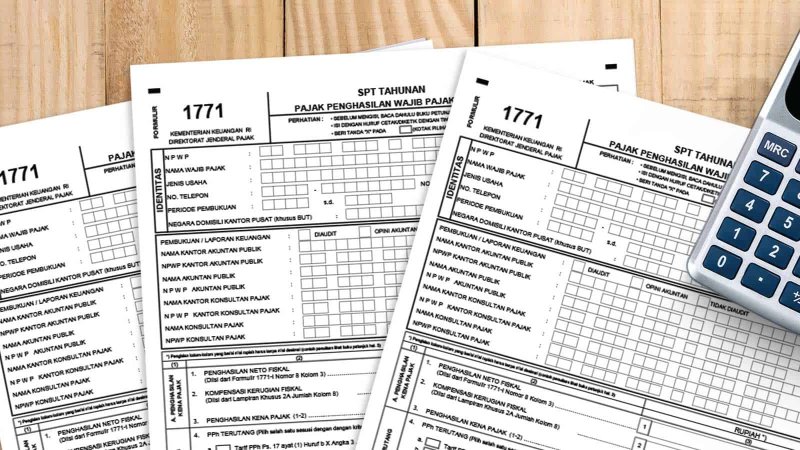
Direktorat Jenderal Pajak (DJP) mengumumkan bahwa saluran pelaporan Surat Pemberitahuan (SPT) Tahunan menggunakan aplikasi e-SPT ditutup. Pengumuman ini dimuat dalam PENG-5/PJ.09/2022 tentang Pengalihan Saluran Pelaporan SPT Tahunan Melalui Aplikasi e-SPT menjadi e-Form dan e-Filling.
Berikut cara lapor SPT Tahunan Badan online dengan menggunakan e-Form Pajak :
Siapkan Laporan Keuangan
Cetak, tanda tangan, cap Laporan Keuangan lalu scan menjadi PDF
Login DJP Online
Unduh dan install Adobe Reader DC
Unduh file SPT Tahunan dalam bentuk e-Form PDF
Isi SPT
Upload Laporan Keuangan
Klik Submit. Selesai
Berikut cara Lapor SPT Tahunan Badan online dengan menggunakan e-Filling :
Login halaman DJP Online
Klik menu Lapor, kemudian masuk ke halaman e-Filling
Klik Buat SPT
Ikuti dan jawab pertanyaan yang diberikan untuk menentukan jenis formulir yang sesuai dengan profil Wajib Pajak
Isi formulir yang berisi tahun pajak dan panduan pertanyaan yang diberikan sesuai dengan profil Wajib Pajak
Ringkasan SPT akan muncul, klik "Di Sini" untuk mendapatkan kode verifikasi yang akan dikirim melalui email atau nomor handphone
Isi kode verifikasi yang didapatkan untuk mengirim SPT
Klik tombol "Kirim SPT" untuk menyelesaikan proses pelaporan pajak online
Bukti penyelesaian laporan akan dikirimkan melalui email dan laporan SPT akan terekam dalam sistem DJP
Sanksi Denda Telat Lapor SPT Tahunan Badan
Dalam Undang-Undang Ketentuan Umum dan Tata Cara Perpajakan (UU KUP) Pasal 14 ayat (1) disebutkan, Direktorat Jenderal Pajak (DJP) dapat menerbitkan Surat Tagihan Pajak (STP) apabila Wajib Pajak dikenai sanksi administrasi berupa denda dan/atau bunga.
Jika Wajib Pajak mengalami keterlambatan saat lapor SPT Badan, sesuai ketentuan akan dikenai sanksi administrasi berupa denda sebesar sesuai ketentuan terbaru dalam UU No. 1 Tahun 2020 tentang Cipta Kerja yang diperbarui dalam UU No. 7 Tahun 2021 tentang Harmonisasi Peraturan Perpajakan. Pembayaran sanksi dapat dilakukan setelah Wajib Pajak memperoleh STP dari DJP.
Selain sanksi denda tersebut, jika terdapat keterlambatan pembayaran pajak sesuai Pasal 9 ayat (2b) UU KUP, Wajib Pajak juga dikenai sanksi bungan sebesar 2% per bulan.
Perlu diketahui, STP Memiliki kekuatan hukum seperti Surat Ketetapan Pajak. Oleh karena itu, penagihan denda dan bunga dalam STP dapat dilakukan dengan surat paksa apabila setelah satu bulan pasca penerbitan STP tidak ada pelunasan.
STP dikirimkan ke alamat Wajib Pajak yang terdaftar melalui pos. Jika tidak kunjung mendapatkan surat tersebut, ada baiknya mengambil inisiatif menanyakan pada KPP terdaftar.
Setelah mendapatkan STP, Wajib Pajak dapat melakukan pembayaran denda telat lapor SPT Badan melalui e-billing.
Persiapan STP yang Wajib Pajak terima untuk pengisian data melalui aplikasi e-billing
Buka aplikasi DJP Online atau e-billing
Login dengan mengisi Nomor Pokok Wajib Pajak (NPWP) Badan, password serta kode keamanan yang tertera.
Pilih menu Bayar
Klik e-billing
Wajib Pajak akan diarahkan pada formulir surat setoran elektronik, isi kolom data yang diperlukan. Kolom NPWP, Nama, serta Alamat akan otomatis terisi oleh sistem
Pilih kode 411126-PPh Pasal 25/29 Badan pada kolom Jenis Pajak
Pilih kode 300-STP pada kolom Jenis Setoran
Pilih Januari hingga Desember pada kolom Masa Pajak
Isi tahun pajak serta nomor ketetapan sesuai dengan STP
Isi Jumlah Setor sesuai dengan jumlah denda dan/atau bunga pada STP
Klik Buat Kode Billing
Masukkan kode keamanan kemudian klik Submit
Pastikan data sudah terisi tepat dan benar. Data tersebut dapat di lihat pada ringkasan surat setoran elektronik
Klik Cetak untuk mengunduh print out kode billing
Lakukan pembayaran denda dan/atau bunga pajak menggunakan kode billing tersebut melalui teller bank, ATM, Internet Banking, atau melalui kantor pos terdekat
Berikut cara lapor SPT Tahunan Badan online dengan menggunakan e-Form Pajak :
Siapkan Laporan Keuangan
Cetak, tanda tangan, cap Laporan Keuangan lalu scan menjadi PDF
Login DJP Online
Unduh dan install Adobe Reader DC
Unduh file SPT Tahunan dalam bentuk e-Form PDF
Isi SPT
Upload Laporan Keuangan
Klik Submit. Selesai
Berikut cara Lapor SPT Tahunan Badan online dengan menggunakan e-Filling :
Login halaman DJP Online
Klik menu Lapor, kemudian masuk ke halaman e-Filling
Klik Buat SPT
Ikuti dan jawab pertanyaan yang diberikan untuk menentukan jenis formulir yang sesuai dengan profil Wajib Pajak
Isi formulir yang berisi tahun pajak dan panduan pertanyaan yang diberikan sesuai dengan profil Wajib Pajak
Ringkasan SPT akan muncul, klik "Di Sini" untuk mendapatkan kode verifikasi yang akan dikirim melalui email atau nomor handphone
Isi kode verifikasi yang didapatkan untuk mengirim SPT
Klik tombol "Kirim SPT" untuk menyelesaikan proses pelaporan pajak online
Bukti penyelesaian laporan akan dikirimkan melalui email dan laporan SPT akan terekam dalam sistem DJP
Sanksi Denda Telat Lapor SPT Tahunan Badan
Dalam Undang-Undang Ketentuan Umum dan Tata Cara Perpajakan (UU KUP) Pasal 14 ayat (1) disebutkan, Direktorat Jenderal Pajak (DJP) dapat menerbitkan Surat Tagihan Pajak (STP) apabila Wajib Pajak dikenai sanksi administrasi berupa denda dan/atau bunga.
Jika Wajib Pajak mengalami keterlambatan saat lapor SPT Badan, sesuai ketentuan akan dikenai sanksi administrasi berupa denda sebesar sesuai ketentuan terbaru dalam UU No. 1 Tahun 2020 tentang Cipta Kerja yang diperbarui dalam UU No. 7 Tahun 2021 tentang Harmonisasi Peraturan Perpajakan. Pembayaran sanksi dapat dilakukan setelah Wajib Pajak memperoleh STP dari DJP.
Selain sanksi denda tersebut, jika terdapat keterlambatan pembayaran pajak sesuai Pasal 9 ayat (2b) UU KUP, Wajib Pajak juga dikenai sanksi bungan sebesar 2% per bulan.
Perlu diketahui, STP Memiliki kekuatan hukum seperti Surat Ketetapan Pajak. Oleh karena itu, penagihan denda dan bunga dalam STP dapat dilakukan dengan surat paksa apabila setelah satu bulan pasca penerbitan STP tidak ada pelunasan.
STP dikirimkan ke alamat Wajib Pajak yang terdaftar melalui pos. Jika tidak kunjung mendapatkan surat tersebut, ada baiknya mengambil inisiatif menanyakan pada KPP terdaftar.
Setelah mendapatkan STP, Wajib Pajak dapat melakukan pembayaran denda telat lapor SPT Badan melalui e-billing.
Persiapan STP yang Wajib Pajak terima untuk pengisian data melalui aplikasi e-billing
Buka aplikasi DJP Online atau e-billing
Login dengan mengisi Nomor Pokok Wajib Pajak (NPWP) Badan, password serta kode keamanan yang tertera.
Pilih menu Bayar
Klik e-billing
Wajib Pajak akan diarahkan pada formulir surat setoran elektronik, isi kolom data yang diperlukan. Kolom NPWP, Nama, serta Alamat akan otomatis terisi oleh sistem
Pilih kode 411126-PPh Pasal 25/29 Badan pada kolom Jenis Pajak
Pilih kode 300-STP pada kolom Jenis Setoran
Pilih Januari hingga Desember pada kolom Masa Pajak
Isi tahun pajak serta nomor ketetapan sesuai dengan STP
Isi Jumlah Setor sesuai dengan jumlah denda dan/atau bunga pada STP
Klik Buat Kode Billing
Masukkan kode keamanan kemudian klik Submit
Pastikan data sudah terisi tepat dan benar. Data tersebut dapat di lihat pada ringkasan surat setoran elektronik
Klik Cetak untuk mengunduh print out kode billing
Lakukan pembayaran denda dan/atau bunga pajak menggunakan kode billing tersebut melalui teller bank, ATM, Internet Banking, atau melalui kantor pos terdekat
The Directorate General of Taxes (DJP) announced that the channel for submitting the Annual Tax Return (SPT Tahunan) using the e-SPT application has been closed. This announcement was published in PENG-5/PJ.09/2022 regarding the transition of the Annual SPT reporting channel from the e-SPT application to e-Form and e-Filing.
Below are the steps to submit the Corporate Annual Tax Return online using e-Form:
1. Prepare the financial statements
2. Print, sign, and stamp the financial statements, then scan them into PDF format
3. Log in to DJP Online
4. Download and install Adobe Reader DC
5. Download the Annual SPT file in e-Form PDF format
6. Fill in the SPT
7. Upload the financial statements
8. Click Submit. The process is completed
Below are the steps to submit the Corporate Annual Tax Return online using e-Filing:
1. Log in to the DJP Online page
2. Click the “Lapor” menu, then enter the e-Filing page
3. Click “Buat SPT”
4. Follow and answer the questions provided to determine the appropriate form according to the taxpayer’s profile
5. Fill in the form containing the tax year and answer the guided questions according to the taxpayer’s profile
6. An SPT summary will appear, click “Di Sini” to obtain a verification code that will be sent via email or mobile phone
7. Enter the verification code received to submit the SPT
8. Click the “Kirim SPT” button to complete the online tax reporting process
9. Proof of submission will be sent via email and the SPT report will be recorded in the DJP system
Sanctions for Late Submission of Corporate Annual SPT
In the Law on General Provisions and Tax Procedures, namely Law No. 6 of 1983 concerning General Provisions and Tax Procedures as amended several times, Article 14 paragraph (1) states that the Directorate General of Taxes (DJP) may issue a Tax Collection Letter (STP) if the taxpayer is subject to administrative sanctions in the form of fines and/or interest.
If a taxpayer is late in submitting the Corporate Annual SPT, they will be subject to administrative sanctions in the form of a fine according to the latest provisions regulated in Law No. 11 of 2020 concerning Job Creation which were later updated in Law No. 7 of 2021 concerning Harmonization of Tax Regulations. Payment of the sanction can be made after the taxpayer receives an STP from DJP.
In addition to the fine, if there is a delay in tax payment in accordance with Article 9 paragraph (2b) of the Law on General Provisions and Tax Procedures, the taxpayer will also be subject to interest sanctions of 2 percent per month.
It should be noted that an STP has the same legal force as a Tax Assessment Letter. Therefore, the collection of fines and interest stated in the STP can be enforced with a forced collection letter if there is no payment within one month after the STP is issued.
The STP will be sent to the taxpayer’s registered address by post. If the taxpayer does not receive the letter, it is recommended to contact the registered Tax Service Office (KPP).
After receiving the STP, the taxpayer can pay the late reporting penalty through the e-billing system.
Preparation of the STP received by the taxpayer for completing payment through the e-billing application:
1. Open the DJP Online or e-billing application
2. Log in by entering the corporate Taxpayer Identification Number (NPWP), password, and the security code displayed
3. Select the “Bayar” menu
4. Click e-billing
5. The taxpayer will be directed to the electronic tax payment form, fill in the required data. The NPWP, name, and address fields will automatically be filled by the system
6. Select code 411126 – Corporate Income Tax Article 25/29 in the Tax Type column
7. Select code 300 – STP in the Deposit Type column
8. Select January to December in the Tax Period column
9. Fill in the tax year and the assessment number according to the STP
10. Enter the payment amount according to the amount of fine and/or interest stated in the STP
11. Click Create Billing Code
12. Enter the security code then click Submit
13. Ensure the data entered is correct. The data can be reviewed in the electronic payment summary
14. Click Print to download the billing code printout
15. Make the payment using the billing code through a bank teller, ATM, internet banking, or the nearest post office.
Below are the steps to submit the Corporate Annual Tax Return online using e-Form:
1. Prepare the financial statements
2. Print, sign, and stamp the financial statements, then scan them into PDF format
3. Log in to DJP Online
4. Download and install Adobe Reader DC
5. Download the Annual SPT file in e-Form PDF format
6. Fill in the SPT
7. Upload the financial statements
8. Click Submit. The process is completed
Below are the steps to submit the Corporate Annual Tax Return online using e-Filing:
1. Log in to the DJP Online page
2. Click the “Lapor” menu, then enter the e-Filing page
3. Click “Buat SPT”
4. Follow and answer the questions provided to determine the appropriate form according to the taxpayer’s profile
5. Fill in the form containing the tax year and answer the guided questions according to the taxpayer’s profile
6. An SPT summary will appear, click “Di Sini” to obtain a verification code that will be sent via email or mobile phone
7. Enter the verification code received to submit the SPT
8. Click the “Kirim SPT” button to complete the online tax reporting process
9. Proof of submission will be sent via email and the SPT report will be recorded in the DJP system
Sanctions for Late Submission of Corporate Annual SPT
In the Law on General Provisions and Tax Procedures, namely Law No. 6 of 1983 concerning General Provisions and Tax Procedures as amended several times, Article 14 paragraph (1) states that the Directorate General of Taxes (DJP) may issue a Tax Collection Letter (STP) if the taxpayer is subject to administrative sanctions in the form of fines and/or interest.
If a taxpayer is late in submitting the Corporate Annual SPT, they will be subject to administrative sanctions in the form of a fine according to the latest provisions regulated in Law No. 11 of 2020 concerning Job Creation which were later updated in Law No. 7 of 2021 concerning Harmonization of Tax Regulations. Payment of the sanction can be made after the taxpayer receives an STP from DJP.
In addition to the fine, if there is a delay in tax payment in accordance with Article 9 paragraph (2b) of the Law on General Provisions and Tax Procedures, the taxpayer will also be subject to interest sanctions of 2 percent per month.
It should be noted that an STP has the same legal force as a Tax Assessment Letter. Therefore, the collection of fines and interest stated in the STP can be enforced with a forced collection letter if there is no payment within one month after the STP is issued.
The STP will be sent to the taxpayer’s registered address by post. If the taxpayer does not receive the letter, it is recommended to contact the registered Tax Service Office (KPP).
After receiving the STP, the taxpayer can pay the late reporting penalty through the e-billing system.
Preparation of the STP received by the taxpayer for completing payment through the e-billing application:
1. Open the DJP Online or e-billing application
2. Log in by entering the corporate Taxpayer Identification Number (NPWP), password, and the security code displayed
3. Select the “Bayar” menu
4. Click e-billing
5. The taxpayer will be directed to the electronic tax payment form, fill in the required data. The NPWP, name, and address fields will automatically be filled by the system
6. Select code 411126 – Corporate Income Tax Article 25/29 in the Tax Type column
7. Select code 300 – STP in the Deposit Type column
8. Select January to December in the Tax Period column
9. Fill in the tax year and the assessment number according to the STP
10. Enter the payment amount according to the amount of fine and/or interest stated in the STP
11. Click Create Billing Code
12. Enter the security code then click Submit
13. Ensure the data entered is correct. The data can be reviewed in the electronic payment summary
14. Click Print to download the billing code printout
15. Make the payment using the billing code through a bank teller, ATM, internet banking, or the nearest post office.